A destination is any system where teams consume activated data.
Common examples include:
- CRMs (Salesforce, HubSpot)
- Marketing platforms (Braze, Iterable, Marketo)
- Ad platforms (Meta Ads, Google Ads, LinkedIn)
- Support tools (Zendesk, Intercom)
- Analytics platforms (Amplitude, Mixpanel)
- Custom APIs (via Webhook/HTTP Request destinations)
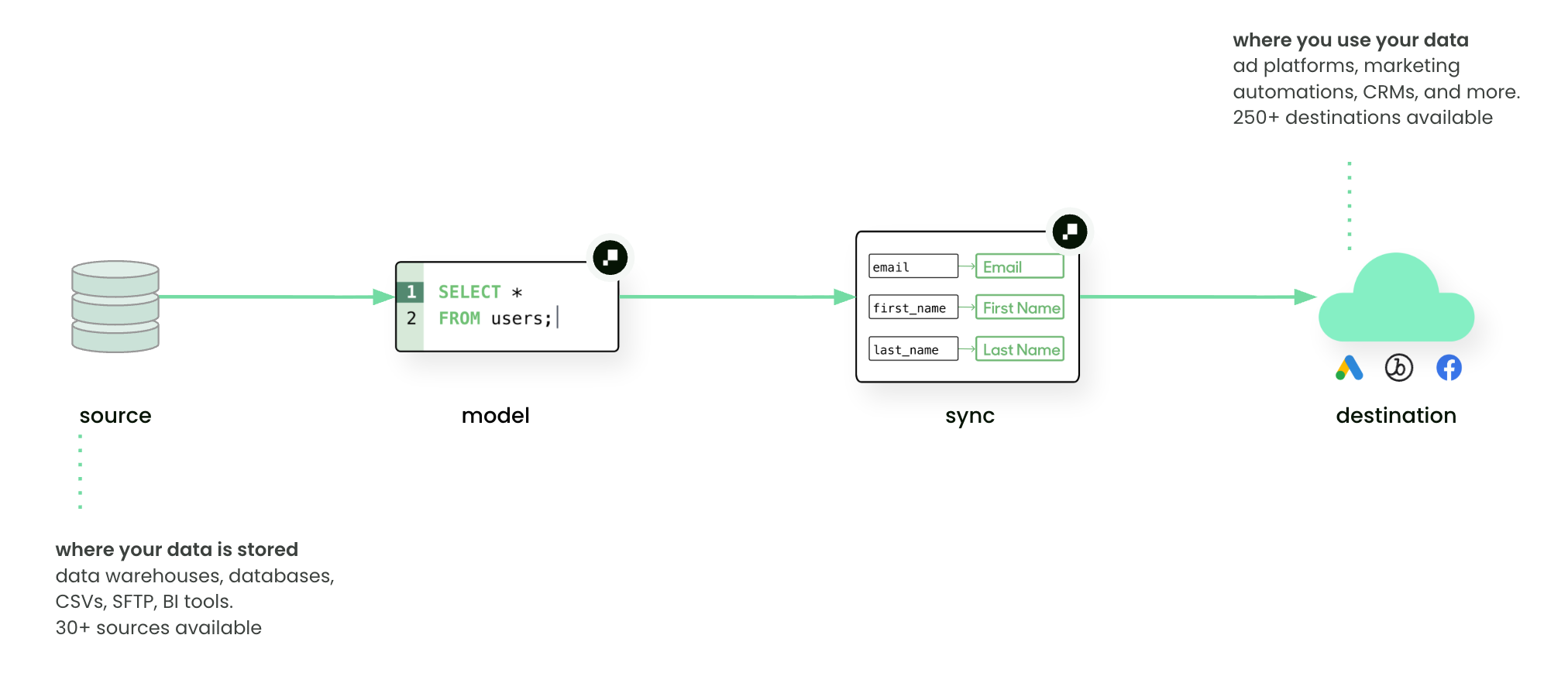
Destinations are the endpoint of Hightouch’s Reverse ETL pipeline. Once a model is defined, you can configure one or more syncs to deliver data into destinations.
For marketers: a destination is the tool where you build campaigns, measure results, or engage with customers—like an ads platform, email tool, or CRM.
Add a destination
To create a new destination:
- Go to Integrations → Destinations.
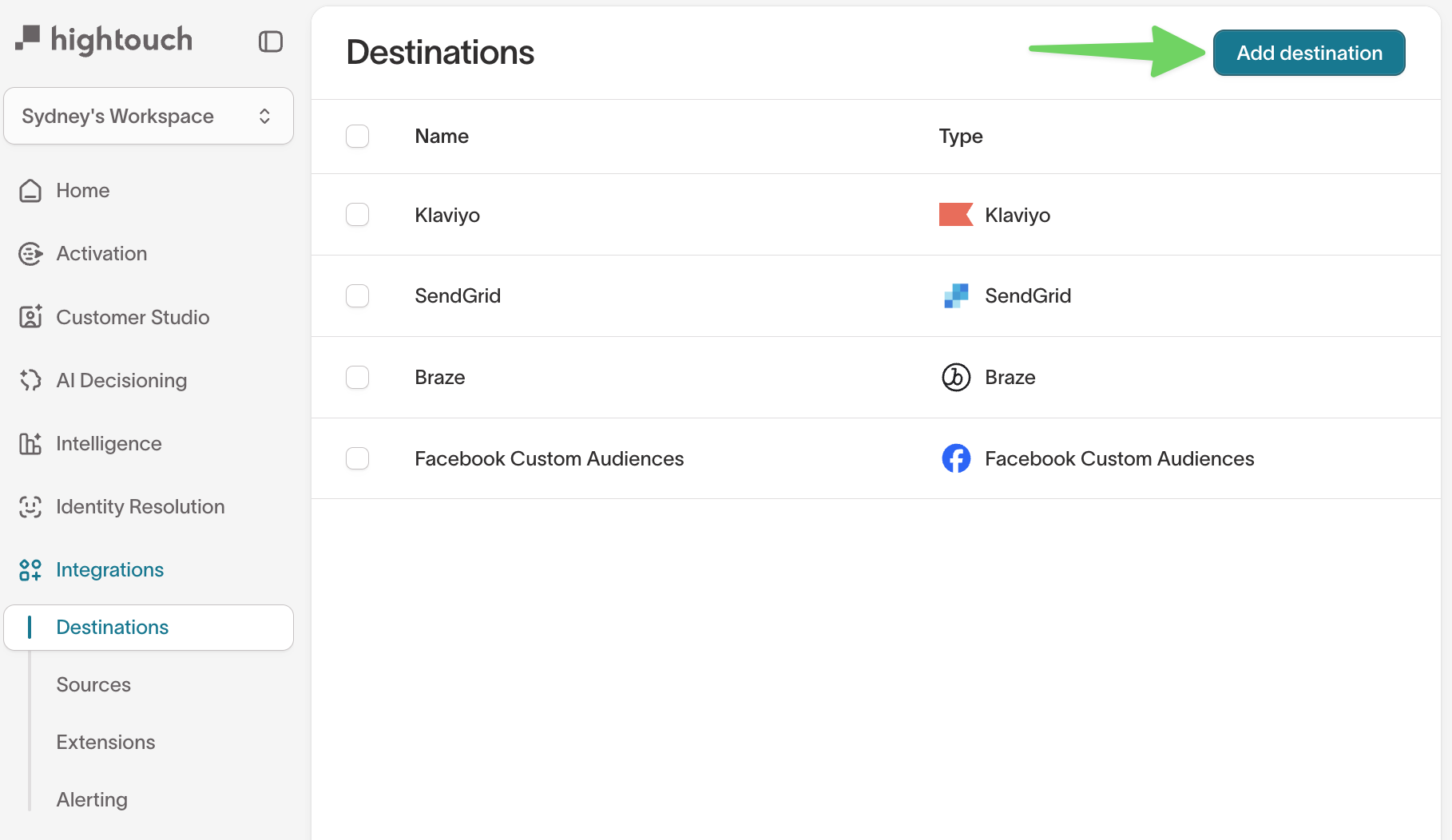
- Click Add destination.
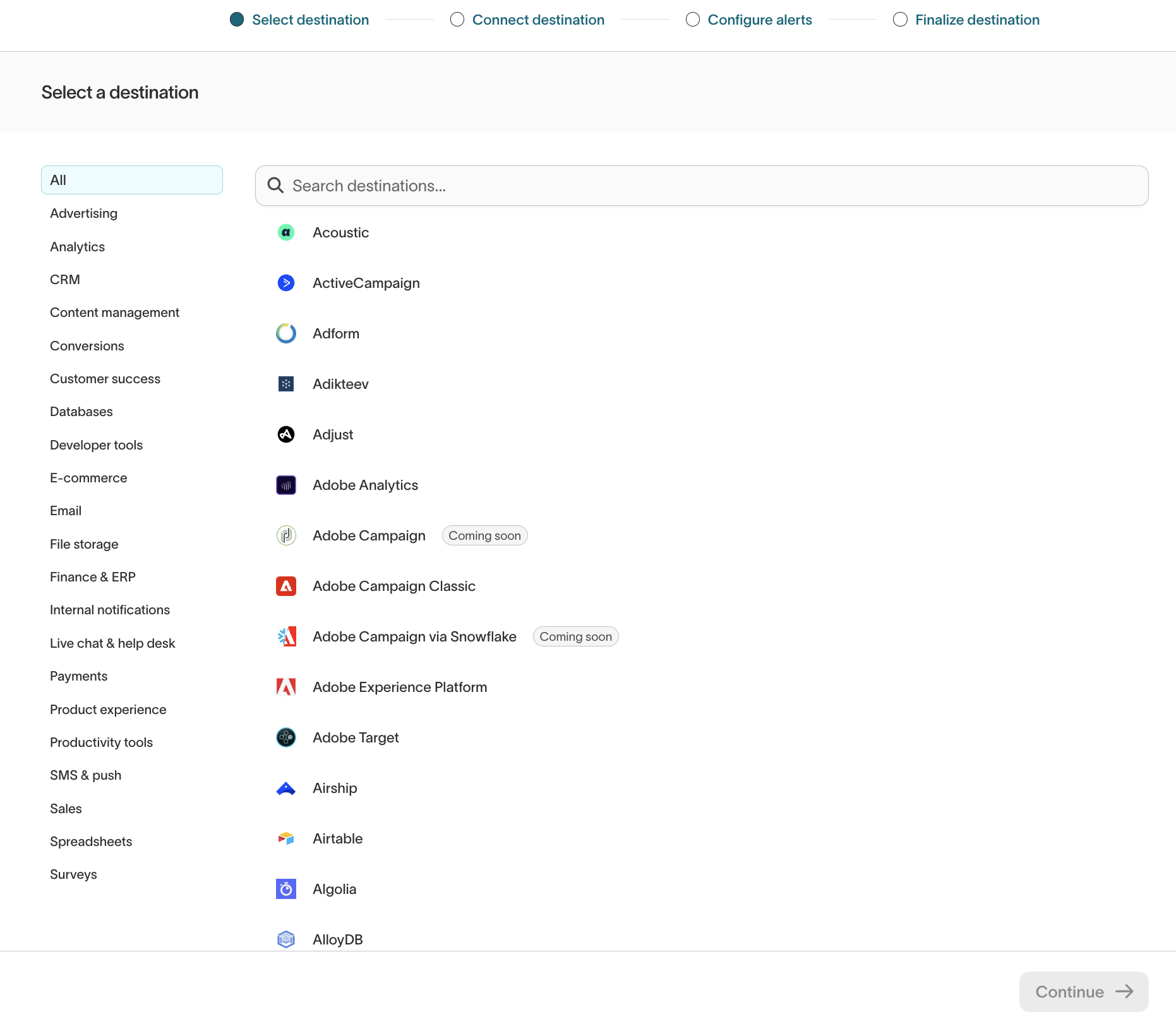
You’ll be prompted to choose from supported destination types and configure:
- Authentication (OAuth, API key, service account, etc.)
- Object type (e.g. user, event, list, custom object)
- Sync type supported by that destination (upsert, insert, update, event streaming, etc.)
Each destination has unique configuration options. See catalog and refer to integration-specific documentation for setup details and supported sync types.
Plan your sync
Before you configure a destination sync, you need a connected destination and a model to pull data from. Then decide:
- What to sync — which objects, events, or records the destination needs, and therefore which sync types to set up. Set up a separate sync for each object or data type.
- Which fields to map — the source columns that map to destination fields. See field mapping.
- How records change — whether you're adding new records, updating existing ones, or both. This determines the sync mode (insert, update, or upsert).
- How often to sync — how fresh the data must be, which sets the sync schedule.
These decisions apply to every destination. Each destination's own page covers only what's specific to that platform — its required identifiers, field types, permissions, and limits — so check it before you build.
Security and data handling
Hightouch writes data into destinations using secure APIs:
- All outbound traffic is encrypted via TLS 1.2+
- Data is batched and delivered according to the sync configuration (mode, type, mapping)
- Sensitive fields can be masked or excluded before syncing to destinations
See Security and compliance overview for more details.
Permissions
Access to individual destinations is controlled through custom roles. Admins can configure destination-specific grants in the Destination tab of the custom role builder, including per-destination read, write, and manage permissions. See Roles for details.
How destinations fit into data activation
- Data teams: configure destinations and map model columns to the correct destination fields.
- Marketers: access fresh, trusted data directly in the tools where they run campaigns or measure results.
Example:
- Model: SQL query for “users who abandoned checkout”
- Destination: Braze (Email + Push)
- Sync: upsert new/changed users nightly, send them into a “Cart Abandonment” campaign
Next steps
- Add your first destination
- Learn about Syncs and how they deliver data into destinations