
Enrich your analytics in Singular with event data from your warehouse.
Overview
This integration lets you send server-to-server events to Singular without writing a custom pipeline. Whether you're calculating cross-device attribution, analyzing ROI, or using Singular for fraud prevention, including event data helps you have a more complete analytics view.
Supported syncing
| Type | Description | Supported Sync Modes |
|---|---|---|
| Events | Hightouch supports syncing in-app events to Singular | Insert only |
Getting started
Start by creating an instance of Singular destination in Hightouch. Upon creating your instance, you must enter a Singular API key for authentication.
Authenticating with an API key
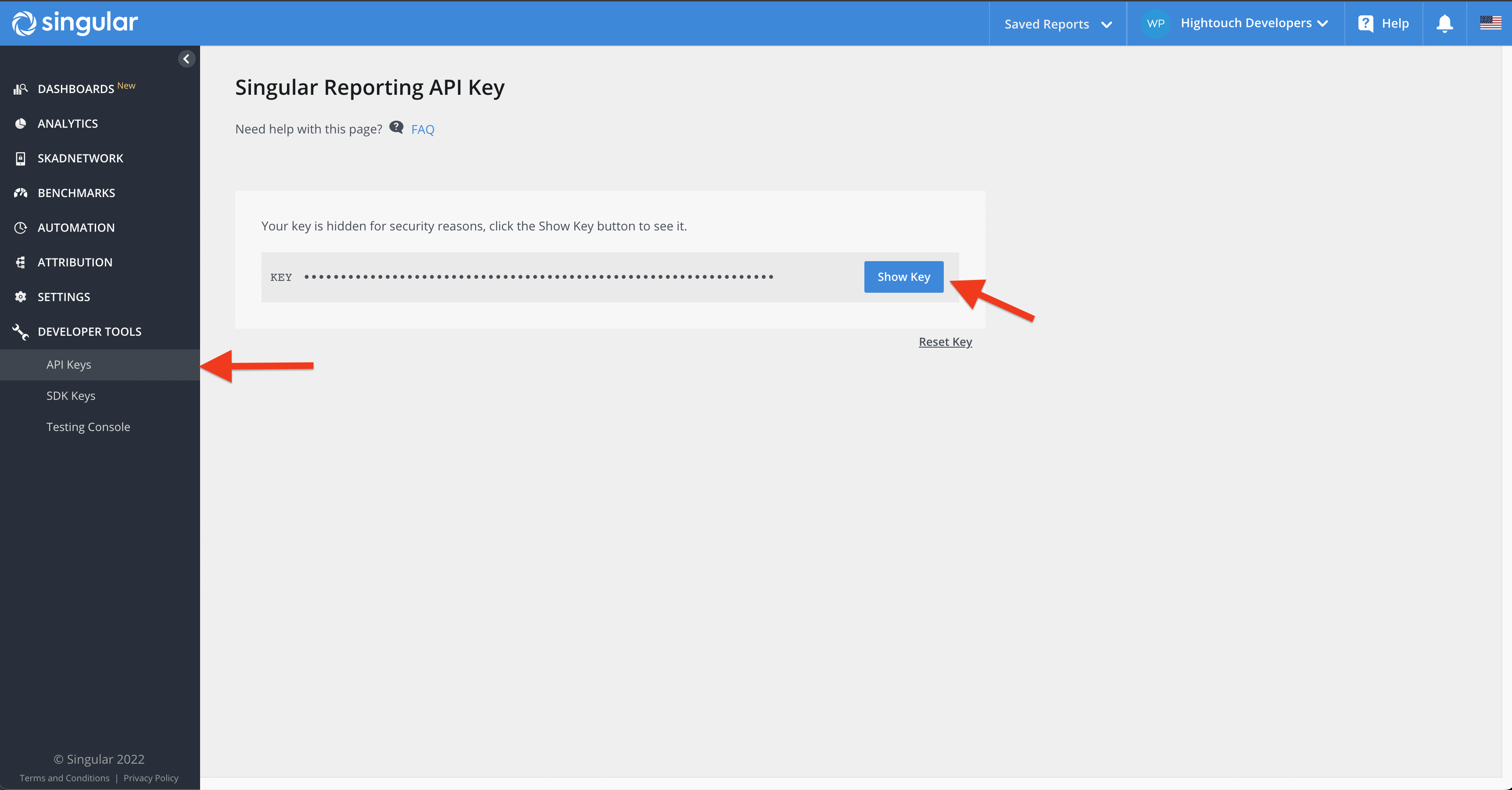
To get your API key, navigate to Developer Tools > API Keys and copy your API key into Hightouch.
Syncing data
Events
Any records added to your source are treated as new events and are sent to Singular when your sync runs.
Select API version
Singular's EVENT endpoint has two versions. V2 identifies devices with the Singular Device ID (SDID). V1 uses legacy device identifiers such as IDFA, IDFV, AIFA, and ASID.
Singular accounts created on or after July 15, 2026 must use V2. Singular rejects V1 requests from these accounts.
For standard event syncs, choose the version under Which Singular EVENT API version should this sync use?:
| Version | Use when |
|---|---|
| V2 (SDID) | Your Singular account was created on or after July 15, 2026, or your account has SDID enabled. |
| V1 | Your account predates July 15, 2026 and uses legacy device identifiers. |
| Automatic (legacy) | Your sync predates this setting. Hightouch picks V2 for rows with an SDID value and V1 otherwise. |
V2 requires mapping the sdid field. Rows with an empty SDID value are rejected with an error instead of being sent to V1. New syncs default to V2.
Custom ID event syncs always use V1. Singular doesn't document a V2 equivalent for custom ID events.
Platform,Package Name, and OS Version fields are the minimum required fields to make the API call to Singular. For a richer analytics, we recommend that you provide all relevant fields in your use case.
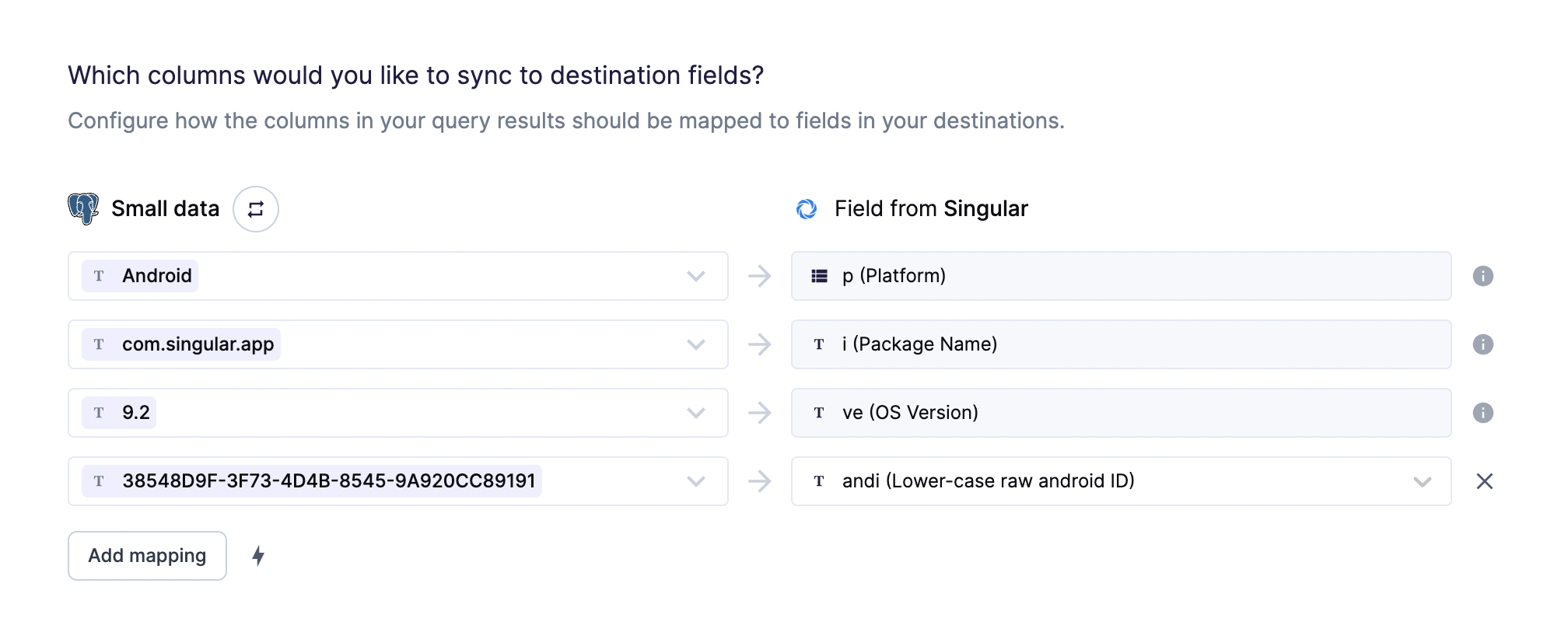
The supported platforms are iOS and Android, case sensitive. If the
platform is Android, andi field is also required.
If you don't map the ip field, it will be defaulted with one from
Hightouch's servers.
You can use custom mappings to attach custom data relevant to your application.
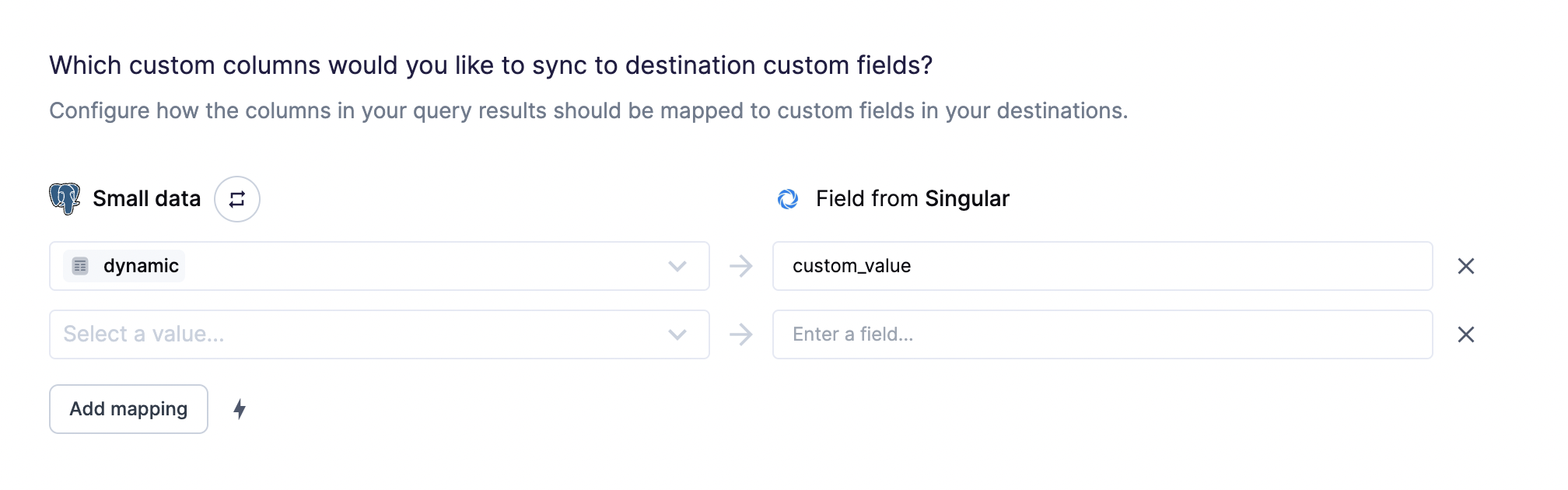
Custom mappings are included as the e
parameter
of the API request payload.
For more information about required fields, refer to Singular's documentation.
Tips and troubleshooting
Common errors
If you encounter an error or question not listed below and need assistance, don't hesitate to . We're here to help.
If you receive errors, ensure that your including all of Singular's required fields: Platform, Package Name, OS Version and andi if your Platform is Android.
Live debugger
Hightouch provides complete visibility into the API calls made during each of your sync runs. We recommend reading our article on debugging tips and tricks to learn more.
Sync alerts
Hightouch can alert you of sync issues via Slack, PagerDuty, SMS, or email. For details, please visit our article on alerting.