| Audience | Workspace admins and team leads who manage access to AI Decisioning. |
AI Decisioning permissions are managed through roles, the same system that controls access to sources, destinations, and other Hightouch products. A role determines what each team member can modify in AI Decisioning, and which agents they can work with.
Overview
Every workspace member can view AI Decisioning resources—agents, messages, goals, collections, and configuration. Editing requires one of two capabilities, granted per role on the AI Decisioning tab of the role editor:
| Capability | What it allows | Best for |
|---|---|---|
| Edit content | Edit message content, variables and variants, tags, collections, and content suggestions, and send preview messages. | Marketing and content teams managing message copy, variants, and collections. |
| Manage agents | Everything in Edit content, plus adding messages, agent creation and lifecycle, goals, feature matrices, channels, and configuration. | Team leads responsible for agent setup, goals, channels, and configuration. |
In addition to these capabilities, a role controls which agents the group can work with, based on the parent model each agent targets. See Agent access by parent model.
A few rules apply regardless of role configuration:
- Workspace admins always have full AI Decisioning access, on all parent models.
- The other pre-built roles (Editor, Draft Editor, Viewer) don't include AI Decisioning editing. To give a non-admin group edit access, use a custom role.
- Every workspace member can see all AI Decisioning resources.
Managing access
- Go to Settings > Groups.
- Edit custom role.
- Open the AI Decisioning tab.
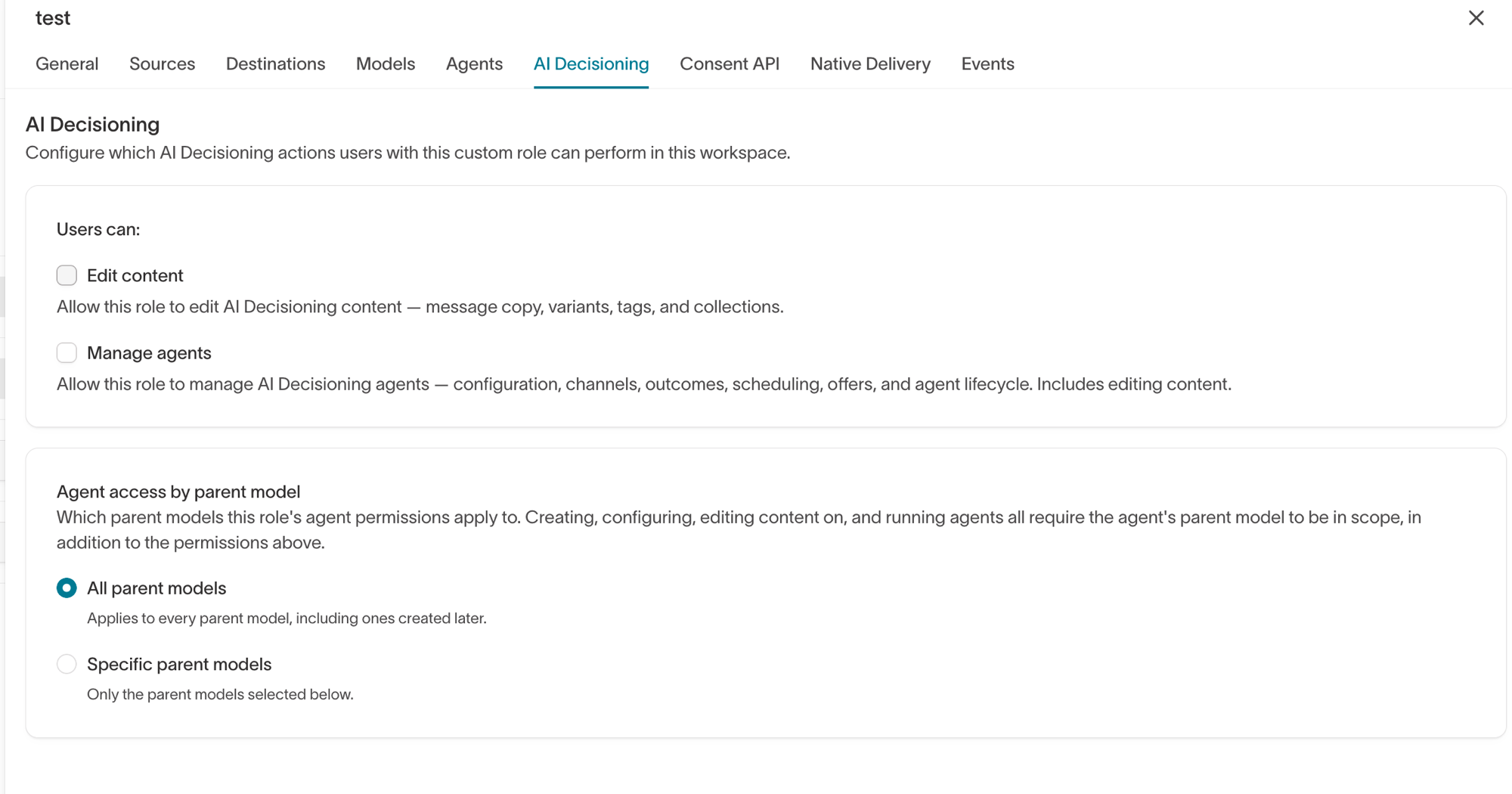
- Under Users can, select Edit content, Manage agents, or both. Manage agents includes everything Edit content allows.
- Under Agent access by parent model, choose whether the role applies to all parent models or only specific parent models.
Agent access by parent model
Every agent targets a parent model—the population of users it makes decisions for. Roles can limit which parent models a group works with:
- All parent models — The role's capabilities apply to every agent in the workspace, including agents created later on new parent models.
- Specific parent models — The role's capabilities apply only to agents targeting the selected parent models. Agents on other parent models remain visible but read-only.
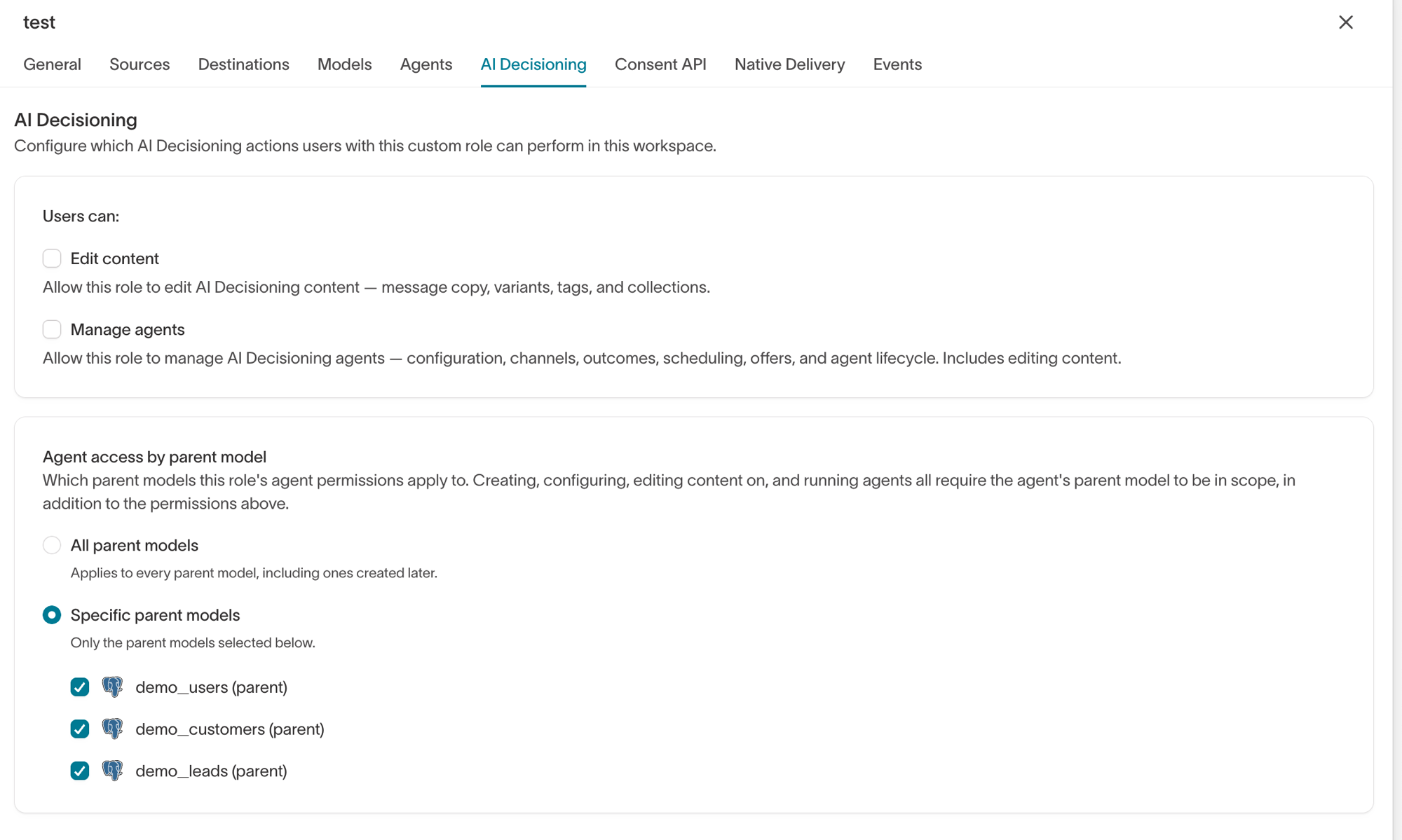
Parent model access scopes everything tied to an agent: creating agents on that parent model, starting and pausing them, and editing their messages, goals, and experiments. Feature matrices are also scoped to the parent model they're built on.
Workspace-level resources—channels, send events, and collections—aren't tied to a parent model, so they only require the corresponding capability.
For example, an "Email content team" role with Edit content and access to the Customers parent model can edit message copy and variants on agents targeting Customers, but can't start or pause those agents, and can't edit messages on agents targeting other parent models.
Permission details
The tables below show what each action requires. Actions on agents and their resources also require access to the agent's parent model.
Agents
| Action | Requires |
|---|---|
| View agents | Any workspace member |
| Create agent | Manage agents |
| Edit agent name | Manage agents |
| Run agent or run all agents | Manage agents |
| Start, pause, or initialize agent | Manage agents |
| Edit agent configuration | Manage agents |
| Delete agent | Manage agents |
Messages
| Action | Requires |
|---|---|
| View messages | Any workspace member |
| Add messages (individual or CSV upload) | Manage agents |
| Edit message content (variables, variants) | Edit content |
| Edit message name and configuration | Edit content |
| Apply content suggestions | Edit content |
| Send a preview or test message | Edit content |
| Bulk edit message content | Edit content |
| Delete or restore messages | Edit content |
| Enable or disable messages (individual or bulk) | Manage agents |
Tags
| Action | Requires |
|---|---|
| View tags | Any workspace member |
| Edit message and variant tags | Edit content |
| Generate tags | Edit content |
Collections
| Action | Requires |
|---|---|
| View collections | Any workspace member |
| Create, edit, or delete collections | Edit content |
Goals
| Action | Requires |
|---|---|
| View goals | Any workspace member |
| Add, edit, or delete goals | Manage agents |
Feature matrices
| Action | Requires |
|---|---|
| View feature matrices | Any workspace member |
| Create, edit, duplicate, or delete feature matrices | Manage agents |
Configuration
| Action | Requires |
|---|---|
| View configuration | Any workspace member |
| Edit general, scheduling, and localization configuration | Manage agents |
| Edit user features configuration | Manage agents |
| Create, edit, or delete channels | Manage agents |
| Toggle channel enabled or disabled | Manage agents |
| Edit send event configuration | Manage agents |
The AI Decisioning REST API currently requires the workspace admin role for write operations.